Production scheduling software helps manufacturers decide what to produce, when to produce it and which machine, production line or work centre should complete each operation.
This task looks manageable when demand remains stable. However, factory conditions change constantly.
A customer advances a delivery date. A critical machine breaks down. Raw material arrives later than expected. Quality rejects a batch required by the next operation. At the same time, the sales team asks whether the factory can accept another urgent order.
The planner must respond without overloading machines, increasing WIP or confusing the shop floor.
Manufacturers usually manage scheduling through Excel, manufacturing ERP or Advanced Planning and Scheduling software, commonly called APS. Each approach can work well in the right environment. The wrong choice, however, creates repeated replanning, missed delivery commitments and weak coordination between departments.
ManufApp helps manufacturers connect scheduling with material readiness, production capacity and shop floor progress. Before choosing any system, teams should understand what Excel, ERP and APS each handle well.
Why Production Scheduling Matters
Production planning and scheduling remain closely connected, but they solve different problems.
Production planning decides what the factory must produce over a broader period. It considers sales demand, forecast quantities, existing stock, material requirements and overall capacity.
Production scheduling converts that plan into executable activities.
It answers questions such as:
- Which order should run first?
- Which machine should handle each operation?
- When should production begin?
- Which shift should execute the work?
- How long will the job take?
- When should the order finish?
- Can the factory still meet the promised date?
A factory may have a valid monthly plan but an unrealistic daily schedule. To understand how these two activities work together, read Production Planning vs Production Scheduling.

For example, the monthly plan may require 10,000 units. Yet the daily schedule may assign two high-priority orders to the same machine during the same shift. The total target remains achievable on paper, but the planned sequence cannot work.
A realistic schedule should consider:
- Customer delivery dates
- Material availability
- Machine capacity
- Routing sequence
- Setup and changeover time
- Labour and shift availability
- Preventive maintenance
- Work already in progress
- Rejection and rework
- Subcontracting lead time
- Order priorities
As products, orders and processing stages increase, planners find it harder to evaluate all these factors manually.
How Production Scheduling Software Compares
Excel, manufacturing ERP and APS do not simply represent basic, intermediate and advanced versions of one tool.
Each takes a different approach.
Excel gives the planner flexibility and direct control.
Manufacturing ERP connects the schedule with orders, inventory, purchasing and production information.
APS applies constraints and scheduling rules to create more feasible production sequences.
The right option depends on production complexity, data quality, scheduling frequency and the number of constraints the planner must manage.
Excel for Production Scheduling
Excel remains one of the most widely used production scheduling tools.
A planner can create rows for work orders and columns for machines, dates, shifts, quantities or production status. Formulas can calculate remaining quantities, required hours and expected completion dates.
Colour coding can highlight delayed orders, urgent jobs or overloaded machines.
Where Excel Works Well
Excel can work effectively when production remains simple and predictable.
It may suit a factory with:
- A limited number of machines
- Stable production routings
- Few product variants
- Predictable cycle times
- Limited schedule changes
- One primary planner
- Reliable material availability
- Short production lead times
The planner can change the format quickly. New columns, formulas and filters can be added without waiting for software development.
Most companies already use spreadsheet tools, which keeps the initial cost low.
For a small or straightforward operation, this flexibility may offer more value than a complex scheduling system.
Where Excel Starts to Fall Short
Excel becomes difficult when the schedule depends on information spread across several departments.
The planning sheet may show an order scheduled for tomorrow, while the required material is still pending. Production may have completed only half of the previous operation, but the spreadsheet may still show the full quantity as available.
Different file versions create another problem.
Planning may update one sheet while production follows an older copy. Purchase may maintain a separate shortage report, while management reviews another version shared by email.
As a result, teams make decisions using different information.
Manual updating also consumes time. The planner must collect production figures, verify inventory, review machine availability and change priorities before revising the schedule.
Over time, the spreadsheet often becomes dependent on one person who understands its formulas, colours and exceptions.
Excel does not fail because spreadsheets lack flexibility. It fails when manufacturing requires frequent, connected and controlled updates.
Manufacturing ERP for Production Scheduling
A manufacturing ERP connects scheduling with the information required to execute production.
Instead of maintaining an isolated spreadsheet, planners can work with sales orders, BOMs, routings, inventory, purchase requirements, work orders and production progress within one system.
This guide to Production Planning in Manufacturing ERP explains how demand, materials, capacity and execution come together in a connected planning process.
What Manufacturing ERP Handles Well
ERP gives the schedule operational context.
Before planning an order, the team can review:
- Customer delivery date
- Required quantity
- Available finished stock
- Raw material status
- Open purchase requirements
- BOM and routing
- Required machines or work centres
- Current WIP
- Completed production
- Rejection and rework quantities
This connection reduces repeated data entry and improves coordination between planning, inventory, purchase and production.
When the warehouse receives material or production records output, updated information becomes available to other departments.
The planner no longer needs to collect every update through calls, messages and separate files.
Where ERP Adds More Value Than Excel
Consider an order that requires cutting, machining, coating and final inspection.
Machining cannot begin until cutting produces the required WIP. Coating depends on machining output. Dispatch cannot treat the full scheduled quantity as ready until final inspection clears it.
ERP helps connect these stages.
It can also link each production requirement to the underlying sales order, forecast or make-to-stock demand. When priorities change, the planner can understand which customer commitment will be affected.
The Production Planning & Control page explains how connected planning can support production requirements, resource allocation, capacity visibility and scheduling.
This approach provides more control than moving isolated rows across a spreadsheet.
Limitations of ERP Scheduling
Not every manufacturing ERP provides the same scheduling depth.
Some systems calculate production dates using standard lead times without checking detailed machine constraints. Others show capacity load but require planners to resolve conflicts manually.
ERP scheduling also depends heavily on master data quality.
Incorrect cycle times, routing sequences, BOM quantities, machine mappings or shift calendars will produce an unreliable schedule.
A connected system improves visibility, but it cannot compensate for inaccurate operating data.
APS for Advanced Production Scheduling
APS stands for Advanced Planning and Scheduling.
APS software focuses on creating feasible schedules across multiple production constraints. Manufacturers usually consider it when they manage complex routings, shared resources, frequent priority changes or expensive bottleneck machines.
What APS Handles Well
APS can evaluate constraints such as:
- Finite machine capacity
- Operation dependencies
- Alternative machines
- Setup and changeover rules
- Labour availability
- Material availability
- Maintenance windows
- Queue time
- Batch size
- Overlapping operations
- Production priorities
A basic plan may assume that every machine has enough capacity to meet demand.
APS uses finite capacity scheduling. It assigns work only within the available time of each resource.
This helps planners identify overloads before releasing the schedule.
Effective scheduling also depends on understanding available resources. Read the guide to Capacity Planning in Manufacturing to see how manufacturers compare demand with machine and work-centre capacity.
APS can also compare different scenarios. For example, the planner may check whether inserting an urgent order will delay other deliveries or increase setup losses.
Where APS Adds More Value
APS provides greater value when production sequence directly affects output and delivery.
Consider a factory producing hundreds of variants across shared machines. Every product change may require new tooling, cleaning, calibration or setup.
Grouping similar products can reduce changeover time. However, grouping only for efficiency may delay urgent customer orders.
APS helps balance these competing priorities.
When a machine becomes unavailable, the system can recalculate affected operations and evaluate alternate resources or revised sequences.
Limitations of APS
APS requires reliable and structured data.
The system needs realistic cycle times, machine calendars, routing sequences, setup rules and alternate resource mappings.
Without this foundation, it may generate a detailed schedule that does not match actual factory conditions.
Implementation also requires more effort. The planning team must define constraints, priorities and scheduling objectives.
APS may offer limited value when the main problems come from inaccurate stock or delayed production reporting. Advanced optimisation cannot fix unreliable execution data.
Excel vs ERP vs APS: Quick Comparison

The right option does not depend only on company size.
A medium-sized high-mix manufacturer may need advanced scheduling. A larger plant with stable and repetitive production may work effectively with ERP scheduling.
How Each Option Handles Real Factory Situations
Material Shortage
In Excel, planners usually depend on inventory reports, purchase updates or manual shortage lists.
Unless someone updates the schedule, production may remain planned against unavailable material.
Connected Inventory Management for Manufacturing helps planners review available stock, warehouse balances and material shortages before assigning work to the schedule.
ERP also connects production requirements with procurement activity.
When stock is unavailable, Manufacturing Purchase Management Software can help teams track purchase requirements, supplier orders and expected receipts that may affect production dates.
APS can treat material availability as a scheduling constraint when it receives reliable inventory and expected receipt information.
Machine Breakdown
With Excel, the planner must identify every affected order manually. The team then moves each operation and checks alternative machines separately.
ERP can show the work orders linked to the unavailable machine and help planners revise dates or resource assignments.
APS can recalculate the schedule around the breakdown, provided the system already contains accurate alternate-machine rules.
Urgent Customer Order
Excel makes it easy to insert an urgent order. However, the planner may not immediately see which existing orders will get delayed.
ERP provides due dates, order priorities and production progress in one workflow.
APS can run different scenarios and show how the urgent order affects machine load, setup time and other completion dates.
Quality Rejection and Rework
A spreadsheet often treats quality events as separate updates. The schedule may continue to assume that the rejected quantity will move forward.
ERP can connect rejection, rework and balance quantities with the relevant work order.
APS can reschedule replacement quantities or rework activities after receiving updated quality information.
Delayed Production Reporting
Every scheduling method struggles when shop floor information arrives late.
Even advanced scheduling software cannot make reliable decisions using outdated production data.
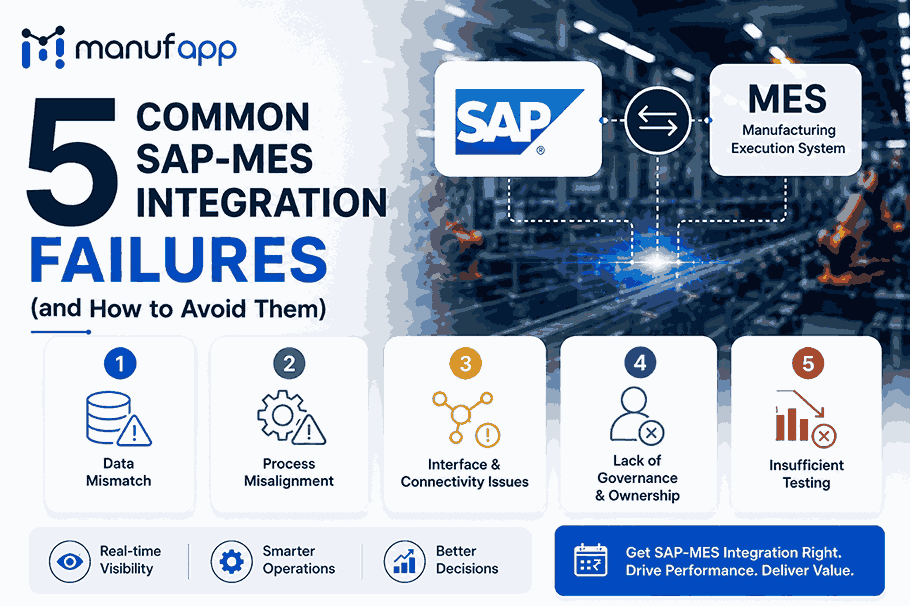
A Manufacturing Execution System connects the production plan with actual shop floor activity. This gives planners better visibility into completed work, pending operations and production delays.
Similarly, Production Management Software helps production teams track work orders, planned quantities, actual output and WIP.
Without timely execution updates, the schedule quickly becomes a historical document rather than a working production guide.
This disconnect is one reason factories lose output between planning and dispatch, even when the planning team has created a detailed schedule.
When Should Manufacturers Continue Using Excel?
Excel may remain suitable when production volume stays manageable, routings rarely change and machine conflicts remain limited.
It can continue working when one planner controls the schedule, material shortages happen infrequently and production updates arrive quickly.
However, manufacturers should check whether Excel still supports the operation or whether the team has simply learned to work around its limitations.
Common warning signs include:
- Multiple schedule versions
- Repeated manual follow-ups
- Outdated shop floor plans
- Frequent machine overload
- Missed delivery commitments
- Excess WIP between operations
- Heavy dependence on one planner
- No clear view of material readiness
When these issues become routine, the cost of manual coordination may exceed the cost of moving to a connected system.
When Is Manufacturing ERP the Better Choice?
Manufacturing ERP becomes useful when planning must work closely with sales, purchase, inventory, production and quality.
It is often the practical next step when a factory needs:
- One source of production information
- Sales-order-linked planning
- Material requirement visibility
- BOM and routing control
- Work order tracking
- WIP visibility
- Production progress updates
- Better coordination across departments
- More reliable delivery planning
ERP works particularly well when the main scheduling problem comes from disconnected information rather than complex mathematical sequencing.
When Does APS Become Necessary?
APS becomes relevant when resource constraints and sequence decisions directly affect delivery or production cost.
Typical triggers include:
- High product variety
- Shared bottleneck machines
- Alternative resources
- Frequent priority changes
- Long or complex routings
- Major setup losses
- Tooling or labour constraints
- Frequent breakdown-driven replanning
- Tight delivery windows
- Large numbers of active work orders
APS works best after the manufacturer establishes accurate master data, inventory records and production reporting.
Without that foundation, the scheduling engine optimises assumptions rather than real operating conditions.
A Practical Upgrade Path
Manufacturers do not always need to move directly from Excel to APS.
A phased transition often works better:
- Standardise items, BOMs and routings.
- Define machines, shifts and realistic capacity.
- Improve inventory accuracy.
- Record production progress consistently.
- Connect planning with ERP or MES workflows.
- Add finite capacity rules where required.
- Introduce advanced scheduling for complex constraints.
The planning team should also define the results it wants to improve.
Useful measures include schedule adherence, machine utilisation, on-time completion, setup time, queue time, WIP and planning stability.
Teams can use these Planning and Scheduling KPIs to measure whether scheduling changes are improving actual factory performance.
How ManufApp Connects Scheduling with Execution
A production schedule creates value only when the shop floor can execute it and report progress against it.
ManufApp connects planning with production requirements, machine allocation, work orders, inventory, purchasing and shop floor progress. This helps planners work with current operational information instead of maintaining a schedule separately from factory execution.
Purchase teams can review upcoming material needs. Production teams can see assigned priorities. Management can compare planned output with actual progress.
The goal is not simply to create a more detailed schedule. It is to build a schedule that teams can follow, update and use for daily decisions.
Choosing the Right Production Scheduling Software
The right production scheduling software depends on factory complexity and the problems the planning team needs to solve.
Excel provides flexibility for simple and stable operations. Manufacturing ERP connects scheduling with orders, inventory, purchasing and production. APS provides deeper constraint-based scheduling for environments with shared resources, complex routings and frequent changes.
Do not select a system only because it offers more features.
Start by identifying why the current schedule fails. The real issue may involve missing material, overloaded machines, inaccurate cycle times, late production updates or disconnected departments.
A reliable schedule should reflect what the factory can actually produce. It should also show how changes affect capacity, material readiness and customer commitments.
Book a Free Demo to see how ManufApp can help connect production scheduling with inventory, purchasing and shop floor execution.