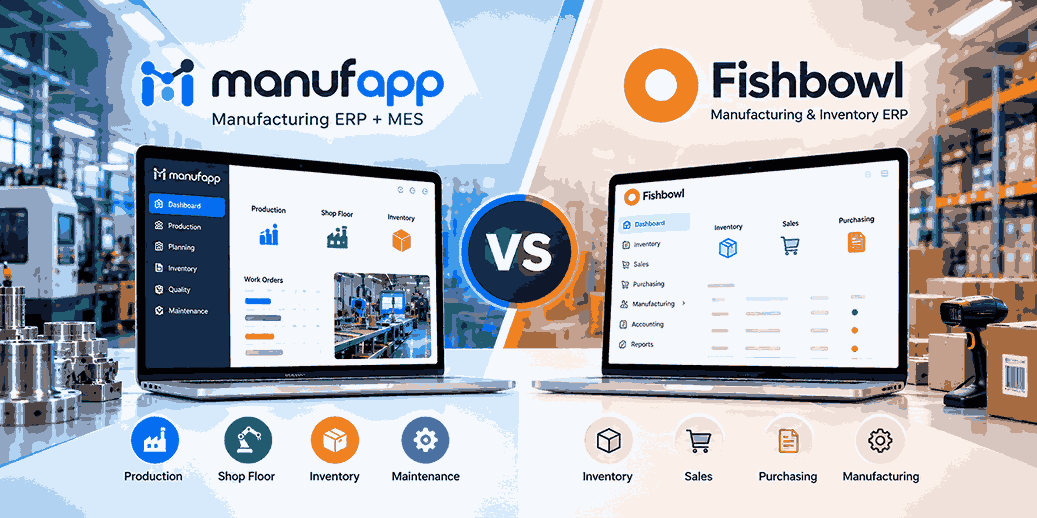
ManufApp vs Fishbowl should be evaluated on how well each platform fits your actual manufacturing operating model. If your factory needs production planning, shop-floor execution, quality, maintenance, inventory and AI in one connected flow, ManufApp provides Manufacturing ERP + MES backed by experience across 300+ shop floors.
| What to Compare | ManufApp | Fishbowl Evaluation |
| Manufacturing ERP | Built around factory workflows | Test against your workflow |
| MES / shop floor | Connected execution capability | Verify required depth |
| Planning | Production-focused | Test real scheduling scenario |
| Quality & maintenance | Connected modules | Validate required processes |
| Manufacturing AI | Maintenance AI, IMS, Document AI | Verify relevant AI use cases |
| Integrations | SAP B1, SAP ECC, Zoho, Tally, PLC, OPC | Confirm your stack |
| Deployment fit | Lite, Pro, Enterprise | Compare operational fit |
A useful Fishbowl comparison should not begin with a 100-row feature spreadsheet.
Start with your factory.
Ask what happens from the moment a customer order arrives until finished material leaves the gate.
That journey exposes the differences that matter.
Why Are Manufacturers Comparing ManufApp vs Fishbowl?
Manufacturers compare ERP platforms when existing tools no longer give enough control over materials, production or operational visibility. The right platform should reduce the gaps between customer orders, material planning, production execution, quality checks, machine availability and dispatch.
The ERP buying process often starts with a simple problem.
Perhaps inventory is visible but production status is not.
Perhaps production is tracked, but planning still lives in Excel.
Perhaps managers have dashboards, but supervisors still exchange job status over WhatsApp.
The software may be working technically while the factory remains operationally disconnected.
That is why Fishbowl vs ManufApp should be evaluated around workflow rather than software terminology.
What Is the Most Important Question in a Fishbowl Comparison?
The most important question is whether the system can follow your entire manufacturing process without forcing critical steps back into spreadsheets, paper or separate applications.
Take one real order from your business.
Your system should help move it through:
Demand → BOM → Material Check → Production Plan → Work Order → Execution → Quality → Finished Inventory → Dispatch
Now ask where manual intervention appears.
If your production manager exports ERP data into Excel before making the actual schedule, that is an important gap.
If quality records live somewhere else, that is another.
If maintenance knows a machine is unavailable but planning continues scheduling against it, that is another.
These operational breaks matter more than the number of menu items available in the software.
How Does ManufApp Approach Manufacturing Differently?
ManufApp is built as an AI-powered Manufacturing ERP + MES rather than treating production as an isolated business transaction. It connects factory planning with execution through production, inventory, quality, maintenance and related manufacturing workflows.
ManufApp includes 10 core modules:
Production, Planning, Inventory, Orders, Purchase, Quality, Maintenance, Subcontracting, Tool Management and Costing.
But the number itself is not the important part.
The useful part is the relationship between those modules.
A production order can create material demand.
Material movement can affect inventory.
A quality rejection can remain connected with the relevant production activity.
Machine downtime can matter to both maintenance and production.
Manufacturing becomes easier to control when these events do not live in separate information silos.
How Should You Test Production Planning in ManufApp vs Fishbowl?
Production planning should be tested with changing factory conditions, not with a perfect sample schedule. Ask both platforms to respond when material is late, a machine stops or a customer changes priority after the production plan has already been released.
Consider three work orders.
Order A is due tomorrow.
Order B has a higher customer priority.
Order C has an earlier due date but one component has not arrived.
Which order should run first?
Now suppose the machine assigned to Order B becomes unavailable.
A useful planning environment should help your team understand the impact quickly.
This is a much stronger ManufApp vs Fishbowl test than asking whether both systems have a “planning” feature.
How Should You Compare BOM and Material Planning?
BOM and material planning should connect product demand with the quantities actually required for manufacturing. Your ERP should help planners understand what components are needed, what is available, what is committed elsewhere and what must be purchased.
Imagine you need to manufacture 600 assemblies.
Each assembly requires four connectors.
The basic requirement is 2,400 connectors.
But the real factory question is more complicated.
How many are physically available?
How many are reserved?
How many are under quality hold?
How many have already been allocated to another work order?
This is where a simple stock figure becomes less useful than manufacturing context.
During your Fishbowl comparison, use a multi-level BOM or a real material-shortage situation from your factory.
Observe how quickly each system gets your planner from demand to an actionable answer.
How Does Shop-Floor Execution Affect the Fishbowl vs ManufApp Decision?
Shop-floor execution matters when management needs to know what is happening now—not only what was scheduled or reported later. Manufacturers should evaluate how easily work orders, production quantities, delays and operational status move between planning and the factory floor.
Suppose your ERP says:
WO-208 — Planned for today
That tells you intent.
It does not automatically tell you reality.
Has production begun?
How much has been completed?
Is the operator waiting for material?
Has the process stopped?
Is the order likely to finish on time?
ManufApp combines Manufacturing ERP with MES capabilities, helping connect enterprise planning with production execution.
If real-time production visibility matters to you, make this one of the highest-weighted criteria in your Procuzy—sorry, Fishbowl vs ManufApp—evaluation.
How Should You Evaluate Inventory Beyond Stock Quantity?
Manufacturing inventory should explain availability in the context of production, not simply show the quantity stored in a warehouse. Materials can be available physically while already committed, reserved, issued or blocked for another operational reason.
Assume your ERP displays:
Bearing X: 1,000 units
Your production team needs 700.
At first glance, everything looks fine.
But perhaps 400 units are already allocated to another production order.
Another 100 are awaiting quality clearance.
Your truly usable position is very different.
When testing ManufApp and Fishbowl, ask:
“Can the planner understand usable material availability before releasing production?”
That is a stronger test than checking whether both systems have an inventory screen.
How Should Quality Management Be Tested?
Quality management should stay connected with the material, supplier, production order and manufacturing stage where an issue occurred. A rejection becomes far more useful when teams can trace its operational impact rather than recording only that a defect happened.
Run a rejection scenario during your demo.
Suppose 80 pieces fail an in-process inspection.
Which batch is affected?
Which work order produced it?
Does production need rework?
Does inventory update appropriately?
Can the team identify the inspection record later?
Could the rejection affect dispatch?
ManufApp includes manufacturing quality management within its connected workflow.
For a fair Fishbowl comparison, test the same scenario using Fishbowl and document how each platform handles it.
Why Should Maintenance Be Included in an ERP Comparison?
Maintenance belongs in a manufacturing ERP evaluation because production capacity depends directly on machine availability. A production schedule may look achievable in software while being impossible on the floor if a critical machine is down.
Imagine Machine M-07 is scheduled for:
8:00 AM — Product A
11:00 AM — Product B
3:00 PM — Product C
At 9:25 AM, the machine stops.
Maintenance begins troubleshooting.
The maintenance problem immediately becomes a production problem.
A connected factory system should make that operational relationship easier to manage.
ManufApp includes Maintenance Management within the same broader manufacturing environment as planning and production.
What AI Capabilities Does ManufApp Add to Manufacturing ERP?
ManufApp adds Maintenance AI, IMS and Document AI to its Manufacturing ERP + MES environment. These capabilities are designed around practical factory problems: helping technicians, monitoring production activity through computer vision and turning manufacturing documents into usable digital information.
What Does Maintenance AI Do?
Maintenance AI supports technicians while they diagnose and address machine-related problems.
The objective is to make maintenance knowledge easier to access during troubleshooting rather than leaving useful information buried across manuals or individual experience.
What Is IMS?
IMS stands for Intelligent Monitoring System and uses computer vision for manufacturing monitoring.
It provides an additional way to understand shop-floor events and operational conditions.
What Does Document AI Do?
Document AI helps convert factory documents and records into structured digital information.
That matters because many manufacturers still operate with a mixture of software and physical records.
When comparing Fishbowl vs ManufApp, evaluate AI on the manufacturing problem it solves—not on whether a vendor can simply put “AI-powered” on a slide.
How Should You Compare ERP Integrations?
Integration fit should be evaluated against your current technology stack, because changing ERP does not automatically mean every other business and factory system should also be replaced.
ManufApp supports integrations including:
SAP Business One
SAP ECC
Zoho
Tally
PLC
OPC
APIs
Consider a manufacturer already running SAP for enterprise operations.
Its main requirement may not be another financial system.
It may need stronger production execution and shop-floor visibility.
The same applies to factories using existing accounting, machine or testing systems.
For Fishbowl, provide the vendor with a diagram of your current setup and ask them to show exactly how each required connection would work.
How Should a Growing Manufacturer Think About ERP Scalability?
Scalability is not only about adding more users. A manufacturing ERP must continue working as you introduce new machines, products, production stages, locations and reporting requirements.
A small factory may initially need:
Inventory
Production
Purchase
Basic planning
Later it may require:
Detailed quality control
Preventive maintenance
Machine connectivity
Subcontracting
Advanced production visibility
Multiple plants
ManufApp provides Lite, Pro and Enterprise options for different operational requirements.
When conducting a Fishbowl comparison, evaluate not only what you need today but what your factory may need two or three stages of growth from now.
Which Manufacturers Should Consider ManufApp?
ManufApp is particularly relevant to manufacturers that want ERP-level control combined with deeper production and shop-floor visibility. Its Manufacturing ERP + MES architecture makes it suitable to evaluate where planning, execution, quality and maintenance need to operate as a connected system.
ManufApp supports manufacturing environments across more than 15 industries, including:
Electronics
Electrical
Auto Components
Fabrication
Furniture
Wire & Cables
Machinery
Food
FMCG
The workflows between those industries can differ significantly.
This is why your industry should influence the demo.
An auto-component manufacturer may prioritise quality and traceability.
A fabrication business may prioritise process tracking and material usage.
A machinery manufacturer may care more about multi-stage production and complex BOM structures.
Generic demonstrations hide these differences.
What Does ManufApp’s 300+ Shop-Floor Experience Mean for Buyers?
ManufApp has been implemented across 300+ shop floors in India, giving its product approach direct exposure to real manufacturing processes rather than only back-office ERP workflows.
For buyers, deployment count is not a reason to skip evaluation.
It is a reason to ask better questions.
During your demo, ask the ManufApp team to map your process.
Do not simply watch a standard dashboard presentation.
Use your terminology.
Use your material structure.
Use your production exceptions.
A system should adapt to factory reality—not require factory reality to look like the demo.
What Should You Ask Before Choosing Between Fishbowl vs ManufApp?
Instead of asking both vendors 50 generic questions, give them the same six operational challenges.
1. Our critical material arrives one day late. What happens to the plan?
2. A machine fails halfway through an urgent order. What does the production team see?
3. Quality rejects 15% of a batch. How is that linked with production and inventory?
4. Sales asks for the realistic dispatch date. Where does the answer come from?
5. We already use another business system. How will the manufacturing layer integrate with it?
6. Management wants live factory status without calling supervisors. How is that achieved?
Record the answer from each demonstration.
The differences will become much clearer.
What Is the 60-Minute ERP Demo Test?
The 60-minute ERP demo test is a practical way to compare systems using one end-to-end manufacturing scenario rather than a vendor-controlled feature tour.
Spend the first 10 minutes defining your product, BOM and customer order.
Use the next 10 minutes for material planning.
Then move into production scheduling.
Release the work order.
Record production.
Introduce a quality rejection.
Create a machine breakdown.
Finally, ask for the revised order and dispatch status.
At the end of one hour, ask your team:
How many times did the presenter leave the core workflow?
How much manual data was required?
Which steps felt natural?
Which steps would frustrate operators?
Could managers see the impact of exceptions?
This gives you a far more realistic ManufApp vs Fishbowl comparison.
Is ManufApp Better Than Fishbowl?
ManufApp may be the stronger fit when your priority is a connected Manufacturing ERP + MES environment with production planning, shop-floor execution, quality, maintenance and factory-focused AI. The best choice still depends on your operational requirements and the results of a real workflow demonstration.
ManufApp’s confirmed manufacturing capabilities include:
10 core manufacturing modules.
Manufacturing ERP + MES.
Maintenance AI.
IMS computer-vision monitoring.
Document AI.
SAP B1 and SAP ECC integration.
Zoho and Tally integration.
PLC and OPC connectivity.
Lite, Pro and Enterprise options.
300+ shop-floor implementations.
For Fishbowl, validate the equivalent requirements directly during your evaluation rather than relying on assumptions.
What Is the Final Verdict on ManufApp vs Fishbowl?
The best ERP is the one that reduces operational gaps across your specific factory—not the one with the longest feature list. In a Fishbowl vs ManufApp decision, test production planning, materials, execution, quality, maintenance, integrations and user adoption together.
ManufApp deserves serious consideration if your challenge is connecting the business system with what actually happens on the shop floor.
Its Manufacturing ERP + MES architecture is designed around that connection.
But you should still test it.
Bring a real production order.
Create a shortage.
Create a breakdown.
Record a quality failure.
Change the customer priority.
Then see which system keeps your teams connected without sending them back to Excel, paper and manual follow-ups.
That is the comparison that matters.
Compare ManufApp With Your Factory Workflow
Don’t evaluate Manufacturing ERP using a generic software presentation.
Bring one of your actual production workflows and see how ManufApp manages planning, materials, production, quality, maintenance and execution.
Compare ManufApp — Free Assessment
faquation asks questions
Q1. What is the difference between ManufApp and Fishbowl?
A1. ManufApp is positioned as an AI-powered Manufacturing ERP + MES platform with connected production, planning, inventory, quality and maintenance capabilities. For a reliable Fishbowl comparison, manufacturers should test Fishbowl against the same requirements using an actual factory workflow.
Q2. Is ManufApp better than Fishbowl?
A2. The answer depends on your manufacturing requirements. ManufApp is particularly relevant when you need ERP + MES, production planning, shop-floor visibility, manufacturing AI and integration with systems such as SAP, Zoho, Tally, PLC and OPC.
Q3. What should I check in a Fishbowl comparison?
A2. Test BOM handling, material availability, production planning, work-order execution, inventory, quality, maintenance, integrations and handling of production exceptions. The comparison should use the same scenario in both platforms.
Q4. Does ManufApp include MES capabilities?
A4. Yes. ManufApp combines Manufacturing ERP and Manufacturing Execution System capabilities, allowing business-level plans to connect more closely with shop-floor production execution.
Q5. Does ManufApp provide AI for manufacturing?
A5. Yes. ManufApp provides Maintenance AI, IMS and Document AI. These support technician guidance, computer-vision-based monitoring and digitisation of manufacturing records.
Q6. Can ManufApp integrate with SAP?
A6. Yes. ManufApp supports integration with SAP Business One and SAP ECC, along with Zoho, Tally, PLC, OPC and API-based environments.
Q7. Is ManufApp suitable for growing manufacturing SMEs?
A8. Yes. ManufApp provides Lite, Pro and Enterprise subscription options, allowing manufacturers to select capabilities based on current requirements and expand as operational complexity increases.
Q9. How should I choose between Fishbowl vs ManufApp?
A9. Run an identical manufacturing scenario through both systems. Compare how each handles materials, production planning, shop-floor execution, quality, maintenance, integrations and unexpected operational changes.